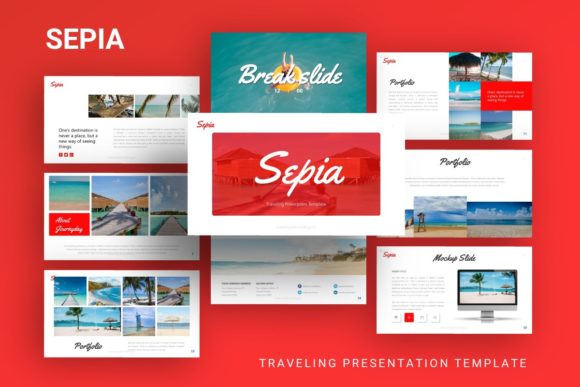
Sepia Presentation Template: A Designer's Guide to Warm, Professional Slides
When you're putting together a presentation, the template you choose does more than just hold your content—it sets the entire tone for your message. A flat, generic layout can undermine even the most brilliant ideas, while a thoughtfully designed template elevates them, lending credibility and visual appeal. The Sepia Presentation Template is built for that exact purpose. It’s not just a collection of slides; it’s a cohesive design system that brings a warm, sophisticated, and grounded aesthetic to your work.
Understanding the Sepia Aesthetic
The first thing you'll notice about this template is its color palette. Drawing inspiration from the warm, earthy tones of vintage photography and aged paper, Sepia uses a range of browns, creams, and muted golds. This creates an immediate sense of warmth and timelessness, steering clear of the cold, corporate blues and grays that dominate so much of the presentation landscape. The visual personality is one of quiet confidence—it feels professional and established without being stiff or impersonal.
This makes it particularly effective for projects where you want to convey trust, craftsmanship, or a connection to tradition. Think of a creative agency pitching a heritage brand, a photographer showcasing a portfolio with a classic feel, or a startup rooted in artisanal or sustainable practices. The Sepia template provides a visual foundation that supports these narratives authentically.
Where This Template Truly Shines
The versatility of the Sepia template is one of its strongest assets. Its clean, modern layout—built on master slides for consistency—works across a surprising variety of contexts. For a company profile or corporate presentation, the earthy palette adds a layer of approachability that standard templates lack. It helps soften the corporate image, making your brand feel more human and relatable to clients or stakeholders.
For portfolios, especially in photography, editorial design, or packaging design, the warm background acts as a neutral yet stylish frame. It doesn’t compete with your work; instead, it complements it, allowing your visuals to take center stage with a curated gallery feel. The same principle applies to pitch decks. A startup using the Sepia template can stand out from the sea of minimalist tech pitches, using the design to subtly communicate a focus on quality, depth, and a story worth investing in.
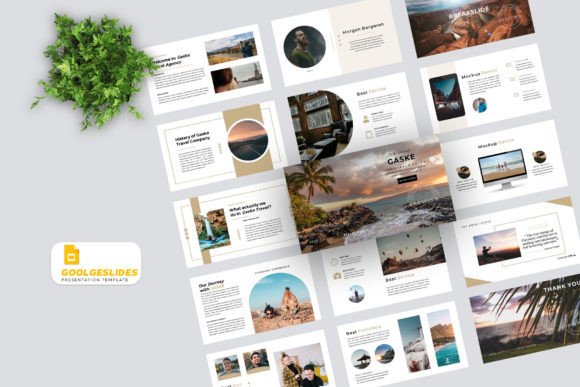
Beyond business, it’s equally at home for personal portfolios, bloggers sharing travel stories (fitting the "Traveling Presentation" name perfectly), or hobbyists presenting a craft project. The design feels personal and considered, which is exactly what you want when showcasing your own work.
Practical Guidance for Using Sepia
Choosing a template is the first step; using it effectively is the next. Here’s how to get the most out of the Sepia Presentation Template.
Evaluating Fit and Customization
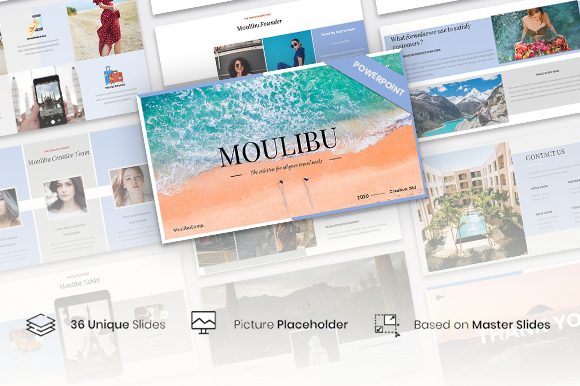
Before committing, consider your project's core message. Does a warm, grounded aesthetic align with your brand identity? If your brand is all about cutting-edge tech and neon accents, this might not be the right fit. But if you value timelessness, craftsmanship, or warmth, it’s a strong candidate. The template includes over 35 slides, all easy customizable contents. This means you can adapt the layouts—swapping placeholder text, adjusting colors within the palette, and using the drag & drop picture placeholders—to make it uniquely yours without starting from scratch.
Mastering Visual Hierarchy and Readability
A great template guides the viewer’s eye. Sepia’s structure, with its handcrafted infographics and pixel-perfect illustrations, is designed to create a clear visual hierarchy. Use the provided layouts to distinguish between main points, supporting details, and data. The font choices within the template are key here. While the template files are provided, you’ll need to install the fonts (often a mix of a clean serif font for headings and a readable sans serif font for body text) to ensure everything displays correctly. This pairing is classic for a reason: it balances elegance with clarity, which is crucial for readability during a presentation.
Pairing and Brand Consistency
The Sepia template comes with its own style, but you can extend it. If you have existing brand assets—like a logo or specific brand colors—use the template’s editable graphics to incorporate them subtly. The goal is brand consistency. Your presentation should feel like a natural extension of your website or business cards. The earthy tones of Sepia often pair well with deep greens, navy blues, or burgundy for accent colors, allowing you to inject brand-specific hues without clashing.
Leveraging Included Assets
Don’t overlook the extras. The vector icons included are invaluable for creating clean, professional diagrams or highlighting key points on a slide. Because they are vector-based, they can be resized without losing quality, maintaining that pixel-perfect look. The documentation file is your friend here—it will guide you on how to best use these assets and customize the master slides, ensuring your final presentation is polished and cohesive.
Ultimately, the Sepia Presentation Template is more than just a set of slides. It’s a design asset that provides a strong, professional starting point. By understanding its aesthetic strengths and applying practical customization, you can create a presentation that doesn’t just share information but does so with a distinct, memorable, and trustworthy visual voice. It’s a tool for anyone who believes that how you present is just as important as what you present.